User Manager
User Manager tool allows you to take care of important aspects of User Management in your org, including the ability to compare details/access between Users with in the same Org as well as across the Org.
This tool can be accessed via Tools Menu -> User Manager. See Tools Menu for more info. You
can also add this to your default tab layout via Custom Tab Layouts
When you open the tool, it shows the following screen. It highlights important UI elements of the screen.
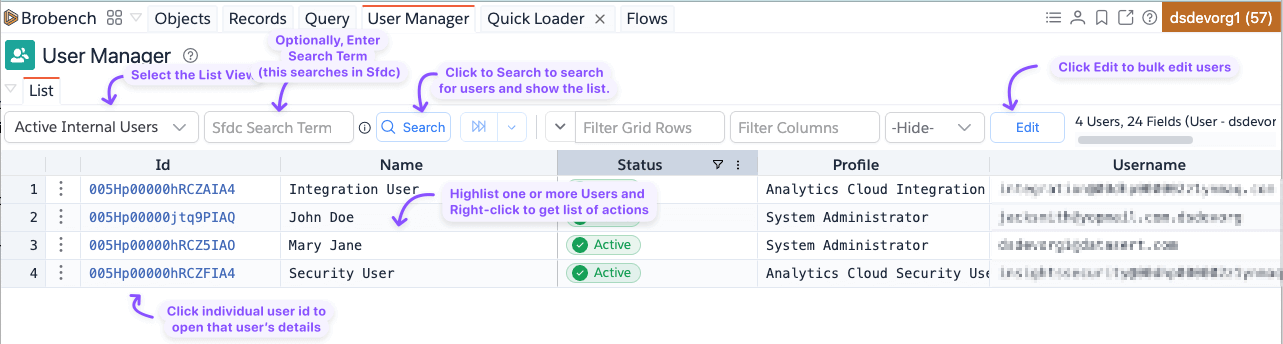
Explore the core features available in the User Manager:
- Search for Users – Quickly find users by name, or email.
- View User Details – View detailed User information including Setup Audit or Login History etc.
- Bulk Edit Users – Update multiple user records simultaneously.
- Compare Users – View side-by-side comparisons of User details, Access, etc.,
- Find User in Other Orgs – Find if a User has accounts other company orgs
- Copy/Clone User – Mint new users across Profiles or map exact access/permissions to existing users seamlessly.